Install
Get Aizome.
Aizome is the desktop Sekka is made for, selected by default in Sekka's installer among the desktops you can pick. It also installs on any NixOS system with flakes.
With Sekka
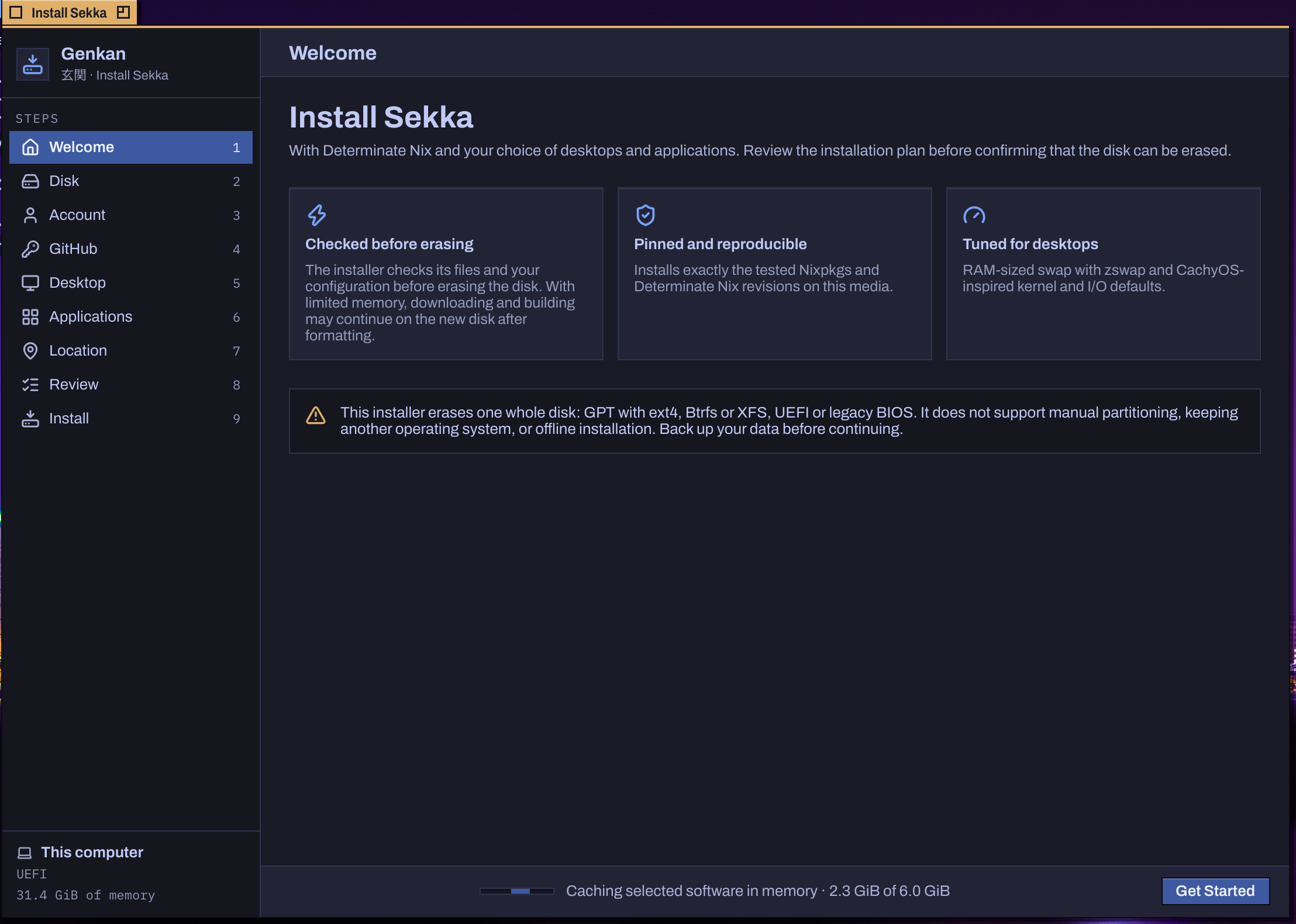
Download, start, choose your disk.
- Download Sekka's ISO from sekka.computer and write it to a USB drive: Kakehashi, Sekka's own writer, lists the builds, checks the one you pick and reads every byte back, on Linux, macOS or Windows. Any tool that writes a raw disk image works too.
- Start the computer from it. The live session is Aizome, with Genkan, the installer, open: it's an Aizome app too.
- Choose your disk, account, desktop, applications and location. Aizome is already chosen; add Plasma, GNOME, Tatami or Xfce beside it if you like. Genkan prepares the system while you review it, then copies it, so the installation itself is short. It erases the whole disk you choose.
On a Sekka you already have
Open Yukimi › Desktops, choose Aizome and make it the default, and Apply. Yukimi asks for your password, builds the new system once and offers a restart when the change needs one. The same choices, in a Sekka system's configuration:
calamares.desktops = [ "aizome" /* and any others */ ];
calamares.defaultDesktop = "aizome";
Aizome's own login screen is a choice there too, or from a terminal: sekka-update --choose calamares.loginScreen=aizome.
On any NixOS
Add Sekka's flake and its Aizome module to your system's flake:
{
  inputs.sekka.url = "github:bitemyapp/sekka";
  outputs = { nixpkgs, sekka, ... }: {
    nixosConfigurations.example = nixpkgs.lib.nixosSystem {
      modules = [
        sekka.nixosModules.aizome
        { programs.aizome.enable = true; }
      ];
    };
  };
}
programs.aizome.enable brings everything Aizome stands on: the session, portals, NetworkManager, BlueZ, PipeWire, UPower, power profiles, UDisks2, AccountsService, CUPS, GeoClue, GNOME Keyring, polkit, the fonts, and fish for the terminal. Add programs.aizome.greeter.enable = true; for Aizome's own login screen, or keep the one you have: Aizome adds itself to its sessions.
Add Sekka's binary cache too, and Aizome's packages download rather than compile:
nix.settings = {
  extra-substituters = [ "https://cache.sekka.computer" ];
  extra-trusted-public-keys = [
    "cache.sekka.computer-1:JJsOkmRt3iCwjvJrol8x2a7euU+kMV7iHaDSFzofA+Y="
  ];
};
Your first minutes
Pick Aizome on the login screen, and Annai welcomes you with a short tour.
| Find any command, window, file, app or setting | SuperSpace |
|---|---|
| Launch from the Toolchest | AltSuperSpace |
| A terminal | SuperReturn |
| Every Desk at once | ControlSuperUp |
| The whole menu at the pointer | Super-right-click |
| Lock | ControlSuperQ |
Make it yours in Settei: Appearance for Night, Day and the focus colour, Displays, Network and Keyboard. Every key