
Disk Usage
Kura 蔵
Kura means storehouse.
What fills your disk, and what can go.
- Generic name
- Disk Usage
- Command
aizome-kura- App ID
org.aizome.Kura
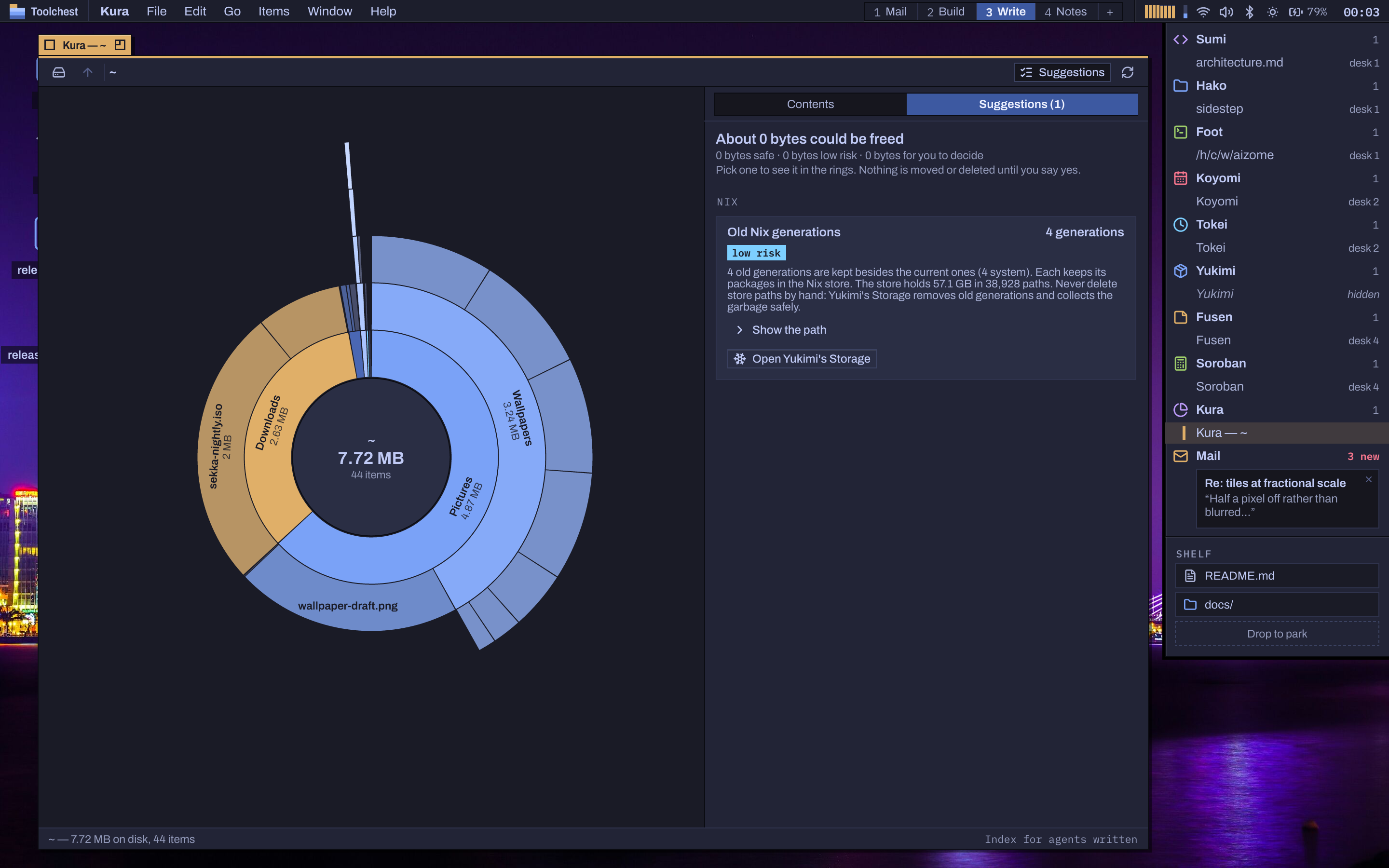
The rings
Scan a disk or a folder and see it as a sunburst of five rings, coloured by the dye ramp, the largest items labelled, with the folder's list beside it, largest first. Hover a segment to name it; click to go in, the middle to come back up. A scan runs on a thread per processor: about half a second for a home folder of 900,000 files with a warm cache.
The Collector and suggestions
Drag segments or rows onto the Collector, or press SuperK; it totals what it holds and moves it all to the Trash when you say so. Suggestions find caches, build outputs, logs, old downloads and duplicates, with what each frees, its risk (safe, low risk, your call) and what it is in plain words. Every action asks first.
Nix-aware, agent-ready
The Nix store shows with its size and Open Yukimi's Storage; Kura never deletes store paths itself. Every scan is also written for agents as index.json, with a readable index.md, and aizome-kura scan --json, report, hints and trash work from a terminal.